In August and September, we updated invoicing, added your own contractor pool to AI Scout, and made project search in Project Radar more flexible.
We also refreshed the Tasks section in the company dashboard and shortened the path for new clients to get started.
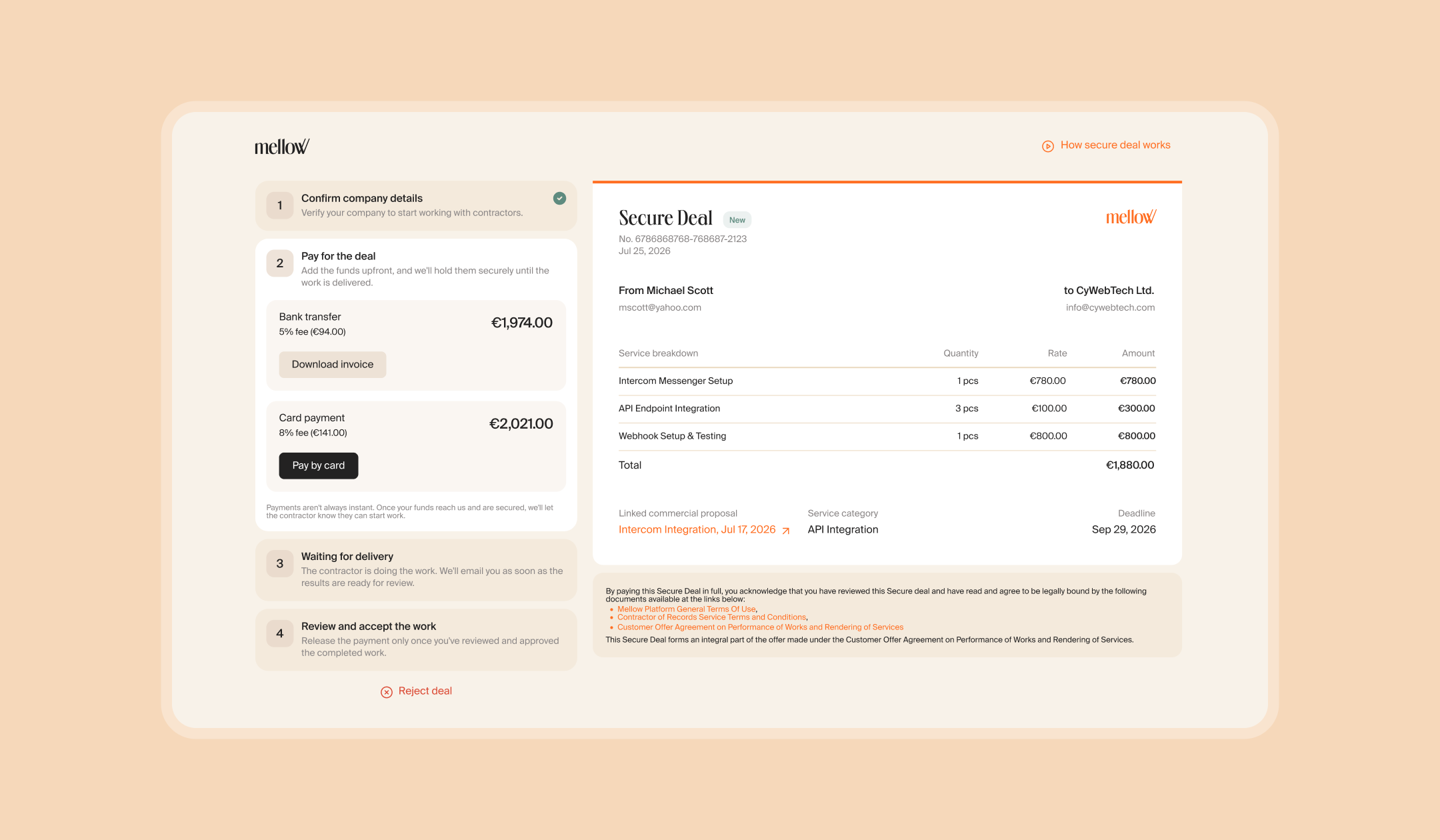
Offers Are Now Secure Deals, and Card Payments Are Back
Who It’s For: Freelancers and their clients
Previously, offers and invoices were easy to mix up, and clients had to sign up for Mellow to pay an offer. Now the choice comes down to one question: is the work already done?
Yes: send an Invoice. It’s a short form, paid right away.
No: create a Secure Deal. The client pays upfront, and the money reaches your balance once they accept the result.
Clients no longer need a Mellow account. They verify their company once, and everything else happens on a single page via a link: payment, work status, and acceptance. If a client already has a dashboard, they’ll see their deals there too.
Card payments are back for Invoices and Secure Deals up to €3,000 / $3,000.
All your existing deals have already been moved to the new sections, so there’s nothing you need to do. For details on how it all works, see our separate article.
Your Own Contractor Pool in AI Scout
Who It’s For: Businesses
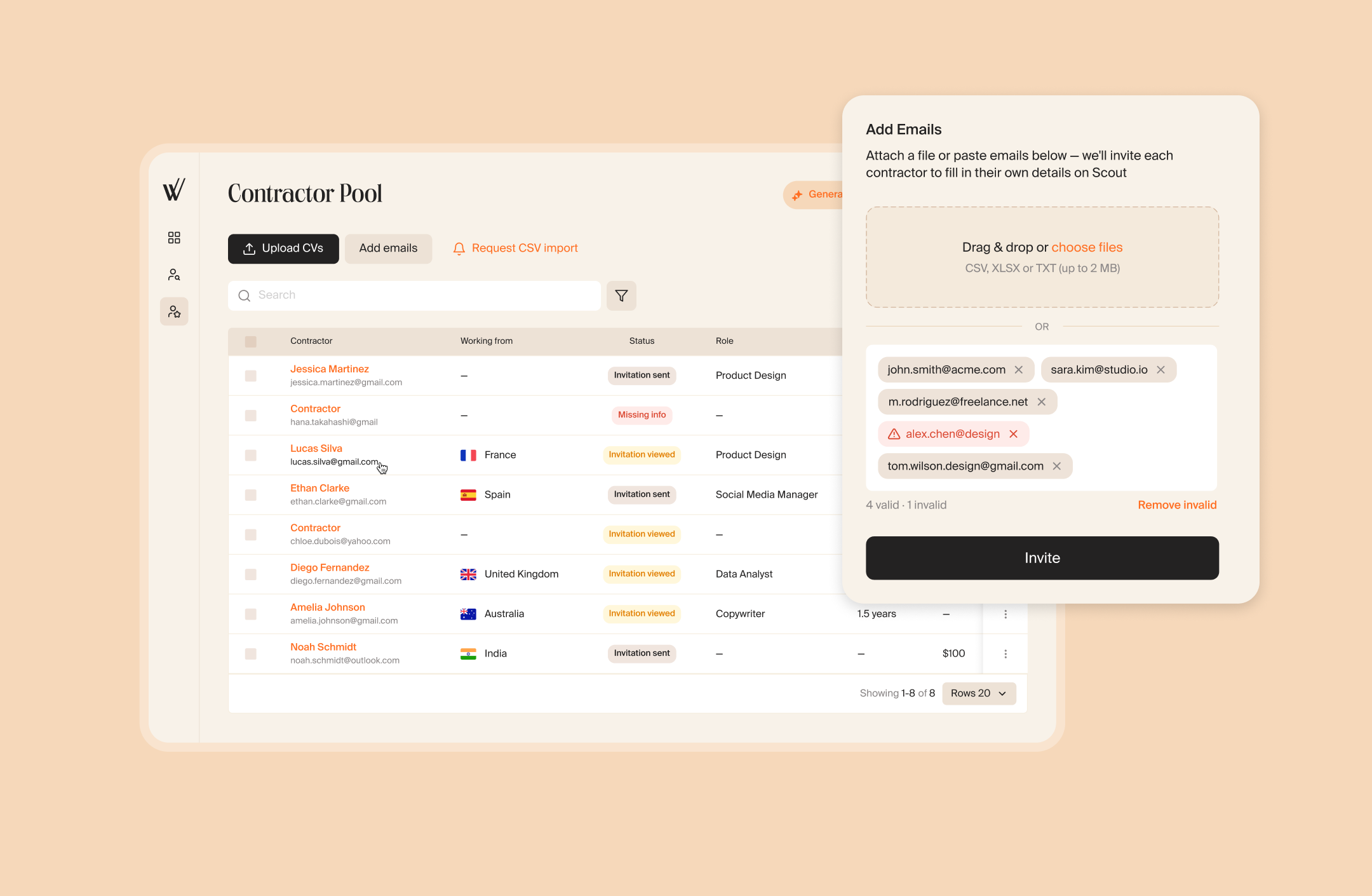
Previously, you could upload CVs of contractors you knew to AI Scout, but they weren’t used for anything after that: every new request meant searching from scratch. Now you can gather everyone you’ve worked with, or would like to work with, in the Contractor Pool section, and AI Scout will include them in your matches.
There are four ways to add contractors to your pool:
- paste a list of email addresses;
- upload several CVs at once;
- add a candidate from AI Scout Match recommendations;
- add a candidate from applications.
Contractors from your pool appear in AI Scout Match alongside Mellow candidates, and each card shows where the candidate came from. To search only among your own contractors, turn on Search only in my pool when creating a request. The request then isn’t published externally, and matches come only from your pool.
Your contacts stay yours: uploaded contractors don’t join Mellow’s shared database and aren’t visible to other companies.
Project Radar Finds More Relevant Projects
Who It’s For: Freelancers
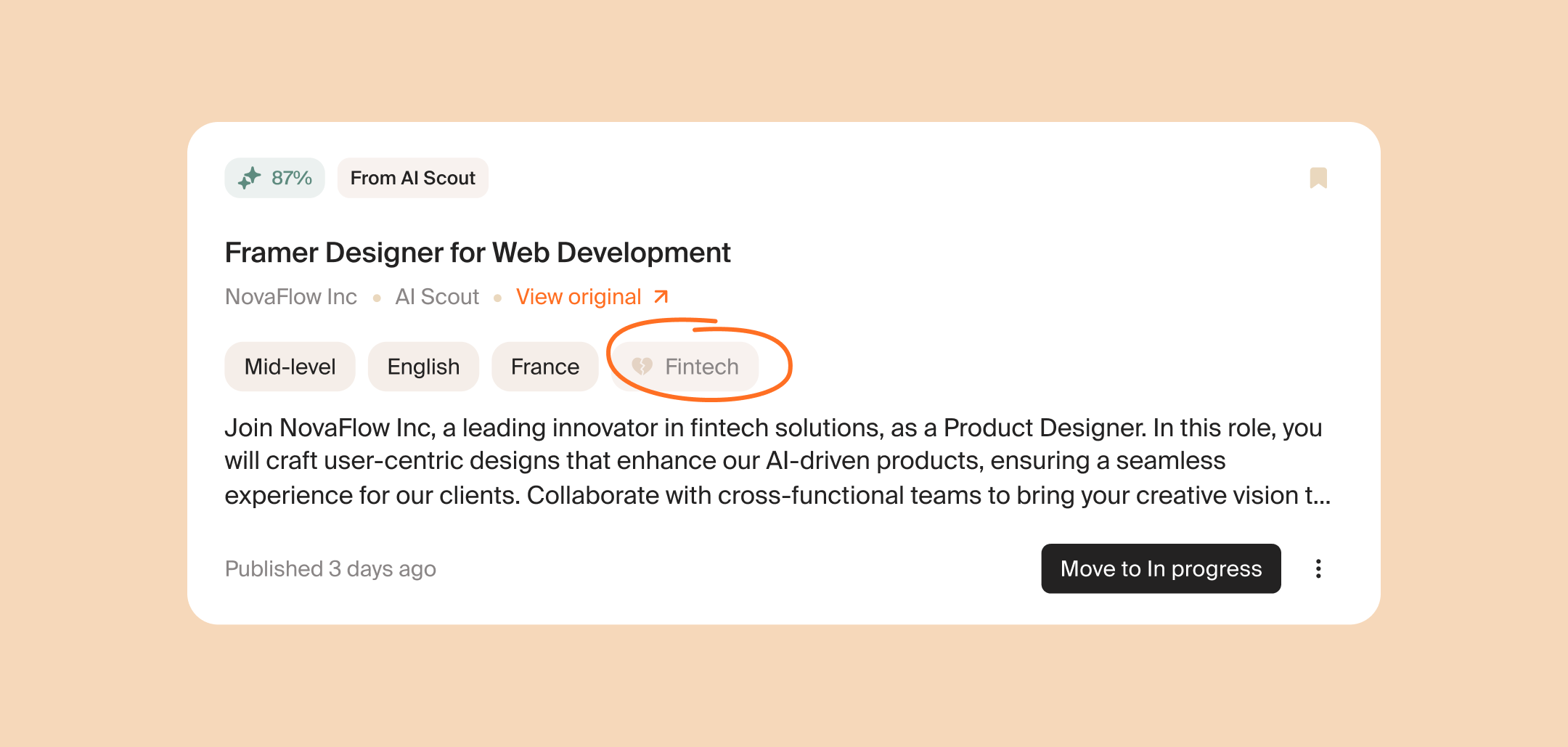
Previously, a project that failed even one filter simply disappeared from your feed. Now filters are softer: such a project stays in the feed, marked as a partial match. The card shows which criteria match and which don’t, so it’s easier to decide whether to apply.
What else is new:
- New filters. A dedicated filter for skills and tech stack, plus a residency requirements filter, so projects you can’t take because of your location no longer clutter your feed.
- No duplicates. If a project is posted several times on the same platform, it appears in Radar only once.
- More sources. We’ve added Threads, Telegram channels, Reddit, and a new LinkedIn parser, so there are more projects and more variety.
- Results stay put. A new search no longer wipes out previous finds, and new and viewed projects are kept separate.
- From proposal to deal. When a client accepts your proposal, AI identifies the service category and carries it over to a Secure Deal.
A Refreshed Tasks Section in the Company Dashboard
Who It’s For: Businesses
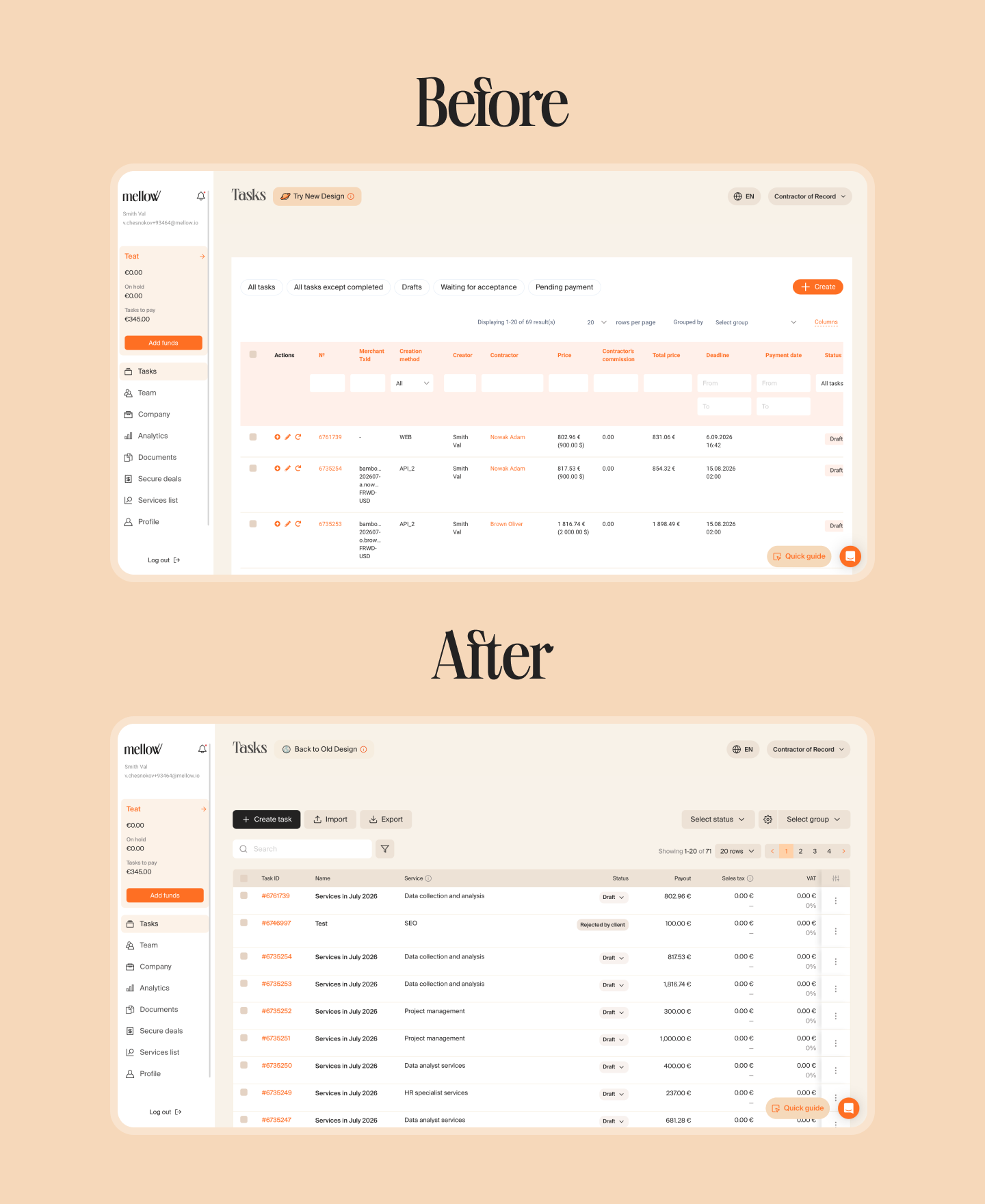
We’ve updated the Tasks section in the company dashboard. Tasks are now in a table with customizable columns. You also get filters, bulk actions, and the option to create, import, and export tasks right from the toolbar. The section works on any screen size. To switch back to the familiar view, click Back to old design.
{{_b2b-case}}